Congrats on being referred to CourseCareers! Find your next career path now with no upfront cost.

100% Scholarships Available. Open to Everyone.
Learn More
Updated July 29, 2026
Most courses include a lesson called "Start Your LinkedIn Profile." At the end of this lesson, students are asked to enter their LinkedIn Profile URL.
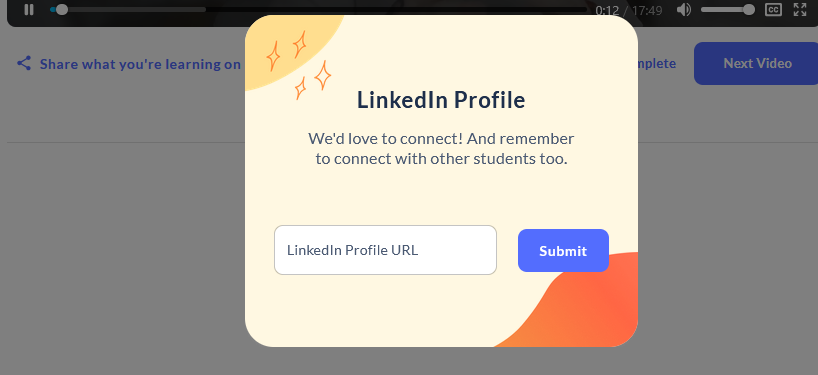
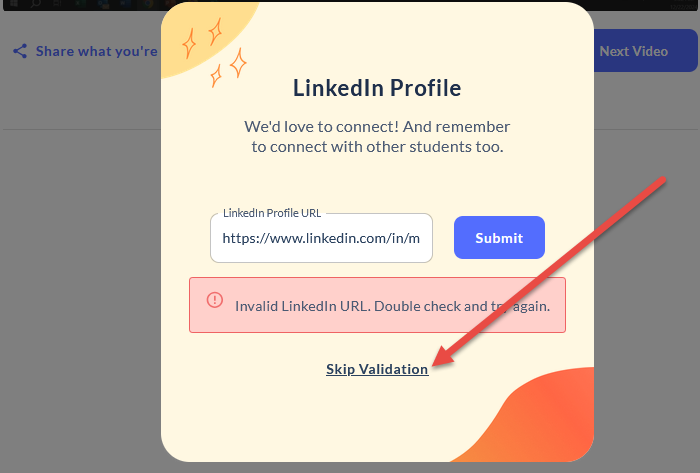
Occasionally, a validation glitch may occur when submitting the URL, causing an error message to appear. If this happens, try submitting the URL a second time. After two failed attempts, a "Skip Validation" link should appear. Clicking that link will allow you to continue to the next lesson.
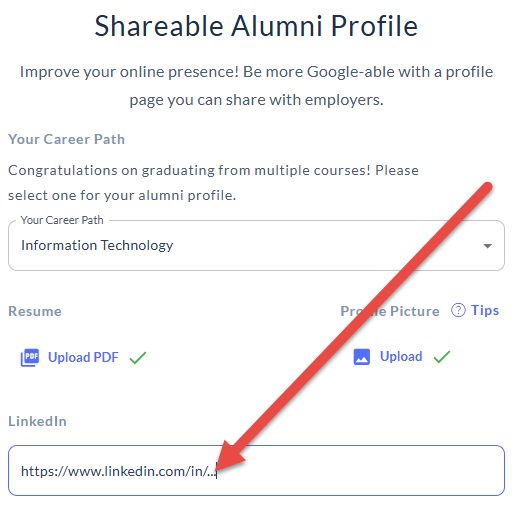
Once you pass the final exam, you will gain access to the Career Launchpad section. In the lesson called "Get Your Alumni Profile to Share with Employers," you will be able to enter your LinkedIn Profile URL there as well.
Ask our support assistant. It can answer most questions right away, and it hands you to our team when it cannot.
Or email support@coursecareers.com (Mon-Fri, 8 am – 5 pm EST).