Congrats on being referred to CourseCareers! Find your next career path now with no upfront cost.

100% Scholarships Available. Open to Everyone.
Learn More
Updated July 9, 2026
On your My Course page (https://coursecareers.com/courses), click on the hamburger menu > Account, then click on the profile icon next to your name.
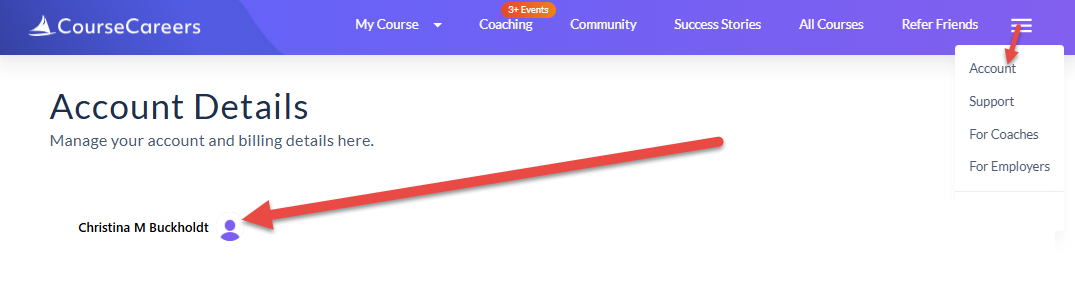
Click Manage account. Under the Email addresses section, click Add an email address. Enter a valid email address. You will be emailed a verification email to verify the email address. Once verified, you will be able to sign in with either email address. You will receive communication regarding your account through your Primary email address.
By clicking the arrow down icon next to the new email address, you can set it as your Primary email address.
By clicking the arrow down icon next to the old email address, you can remove the email address from your account if you wish.
You also have the option of connecting your Google email account for Google sign-in by clicking Connect account under the Connected accounts section. You can also remove your Google account.
Ask our support assistant. It can answer most questions right away, and it hands you to our team when it cannot.
Or email support@coursecareers.com (Mon-Fri, 8 am – 5 pm EST).