Congrats on being referred to CourseCareers! Find your next career path now with no upfront cost.

100% Scholarships Available. Open to Everyone.
Learn More
Updated July 9, 2026
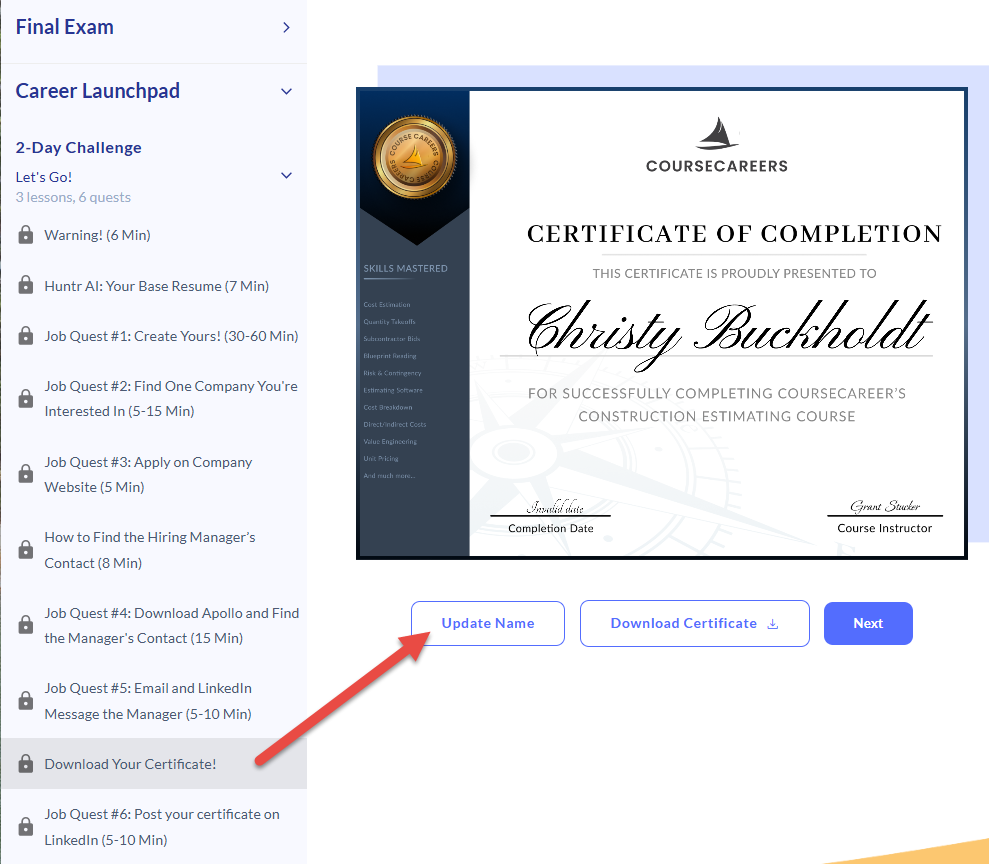
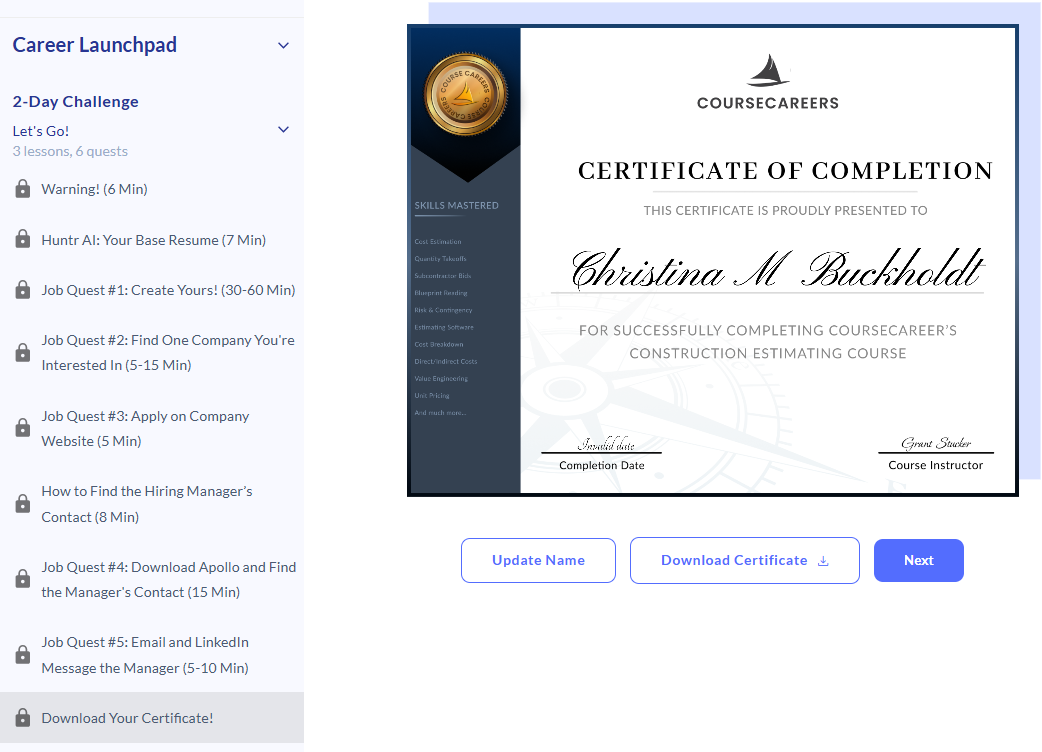
You can change the name displayed on your certificate by going to Career Launchpad > 2-Day Challenge > Download Your Certificate! > Update Name.
Note: once you have edited your name, refresh the page to see the updated name.
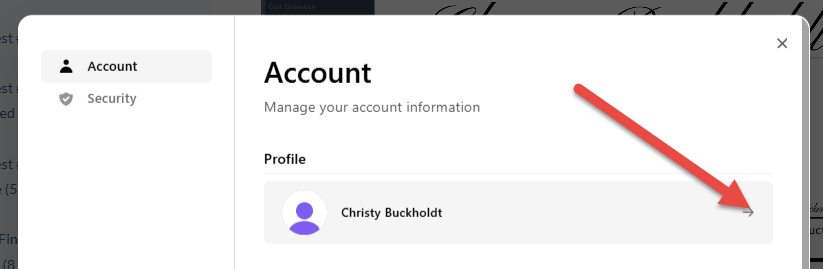
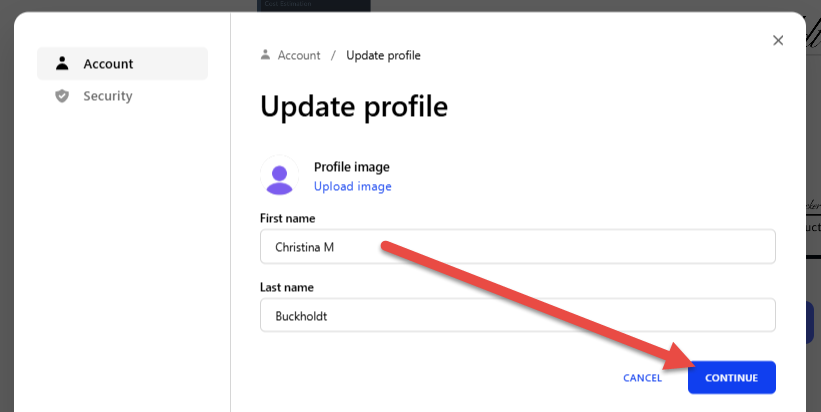
If you want to include a middle initial or middle name, enter it to the right of your first name.
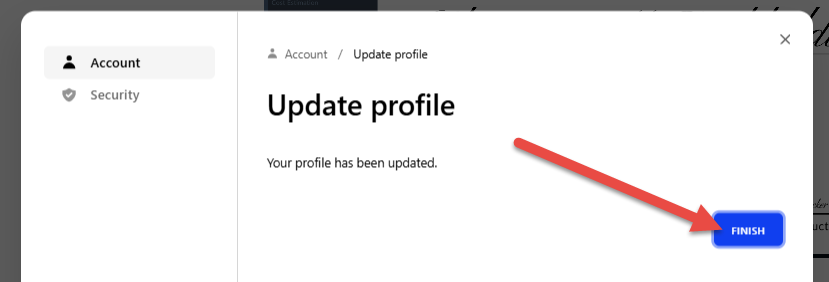
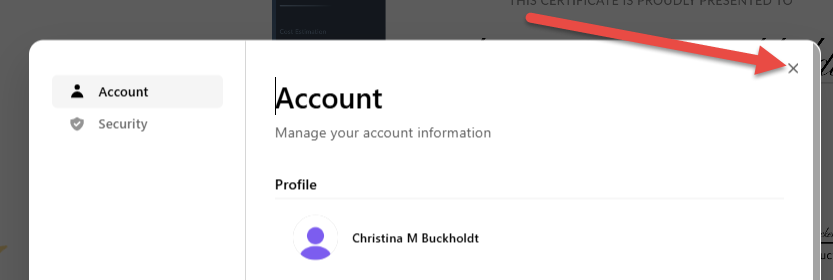
Refresh your page to see your updated name.
Ask our support assistant. It can answer most questions right away, and it hands you to our team when it cannot.
Or email support@coursecareers.com (Mon-Fri, 8 am – 5 pm EST).