Congrats on being referred to CourseCareers! Find your next career path now with no upfront cost.

100% Scholarships Available. Open to Everyone.
Learn More
Updated October 25, 2026
You must manually mark or check off every lesson that you complete. If you do not mark it as completed your course progression percentage and steps will not be incremented.
The lesson completed button has recently been changed and may change again in the future, but it will appear somewhere on each lesson page. At the time of writing this article, it looks like:
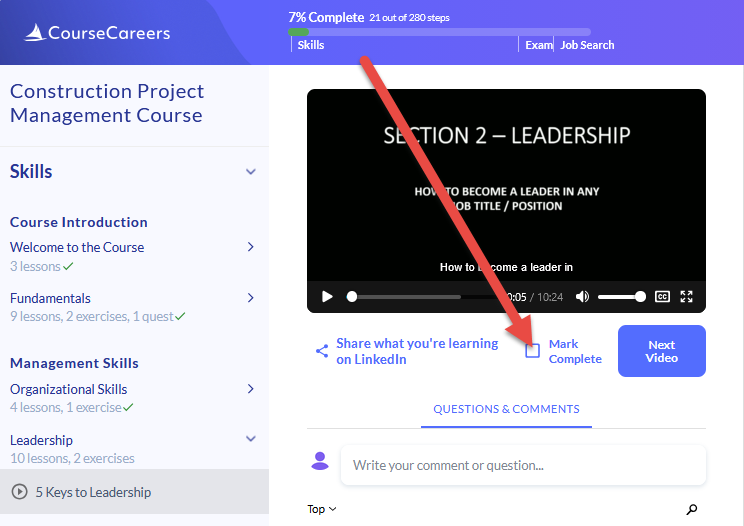
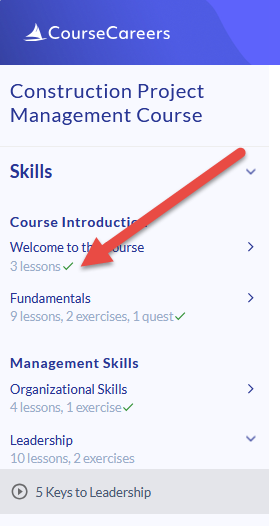
It is possible a course may be updated and a lesson added. Look at your course navigation and make sure every previous lesson has been marked as completed. If all lessons in a section are marked complete, you will see a checkmark like in the image below.
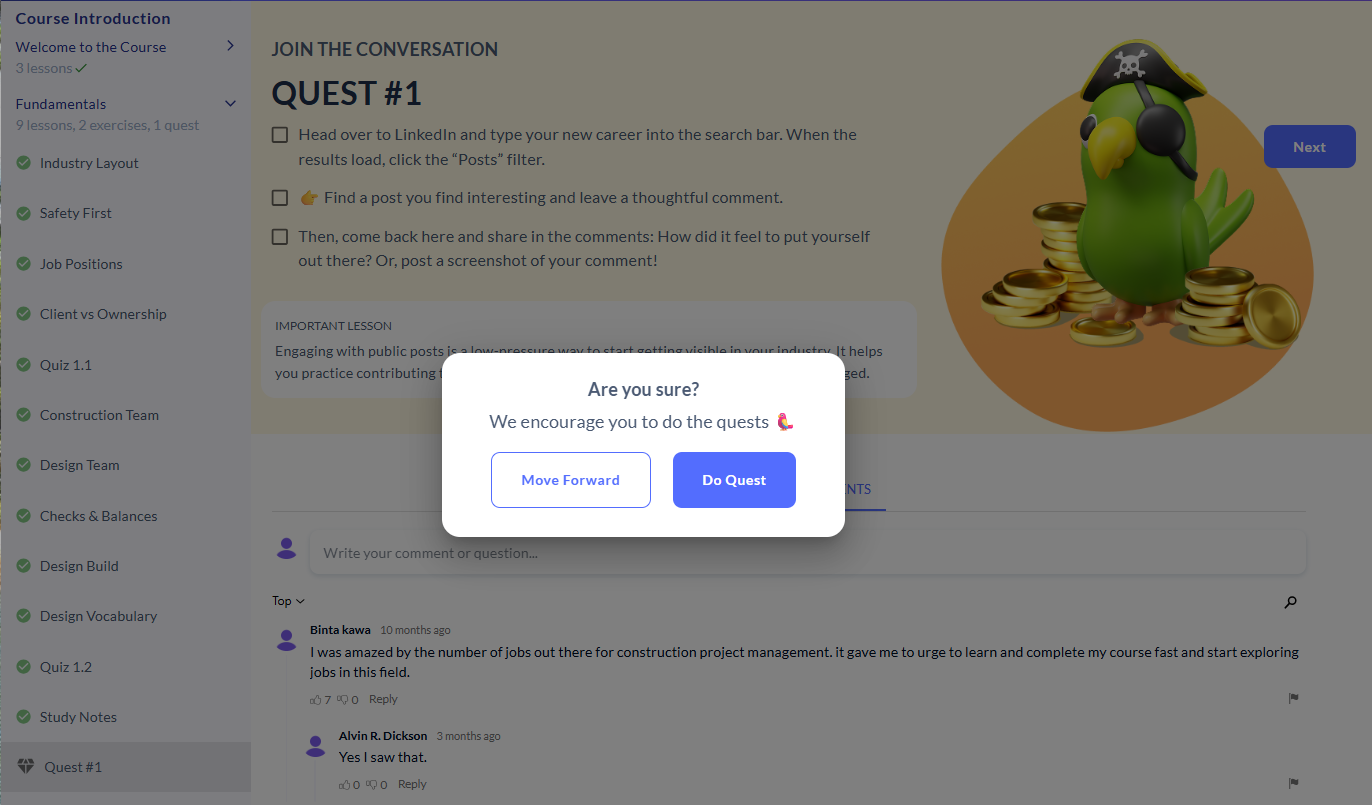
Quests are optional. If you'd like to skip a quest, click Next and then Move Forward. The quest will be marked as complete.
That said, we encourage completing the quests whenever possible: they help you practice what you learn.
Ask our support assistant. It can answer most questions right away, and it hands you to our team when it cannot.
Or email support@coursecareers.com (Mon-Fri, 8 am – 5 pm EST).