Congrats on being referred to CourseCareers! Find your next career path now with no upfront cost.

100% Scholarships Available. Open to Everyone.
Learn More
Updated April 17, 2024
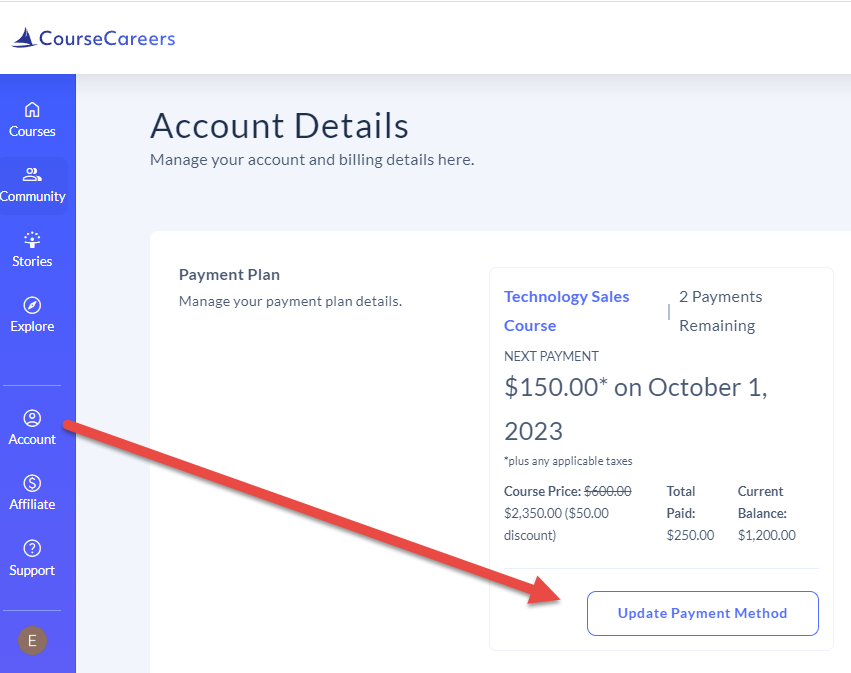
Once you have signed in, go to your Courses page and click Account from the left-hand menu to go to the Account Details page. From there you can manage your payment plan to make a payment or change credit cards.
Ask our support assistant. It can answer most questions right away, and it hands you to our team when it cannot.
Or email support@coursecareers.com (Mon-Fri, 8 am – 5 pm EST).